
A private beta build. We're looking for testers.
Auturis isn't in the App Store or on the Microsoft Store yet — it's an early, closely-managed beta. Access is by request, not open download, so we can actually keep track of who's testing it and hear back from them.
It also runs on your own computer rather than as a website, and that is deliberate. What you put into Auturis (what you care about, the decisions you face, and how you weigh them) is too personal to be held on someone else's server, ours included. Your graph and your history stay on your machine; each conversation goes only to the AI provider whose key you use.
Who this is for and what it does
Auturis is a system for someone who already thinks seriously about their own choices and who has a problem against which they would like to test that thinking. Auturis will help you think through problems that fall under two broad questions: “What should I do?” and “What is right?” For any circumstance, the system is designed to help you answer these two questions.
In order to be able to perform this task more effectively than a “chatbot,” Auturis requires that you first build your personal or organizational knowledge graph, which is a task with which it will assist you.
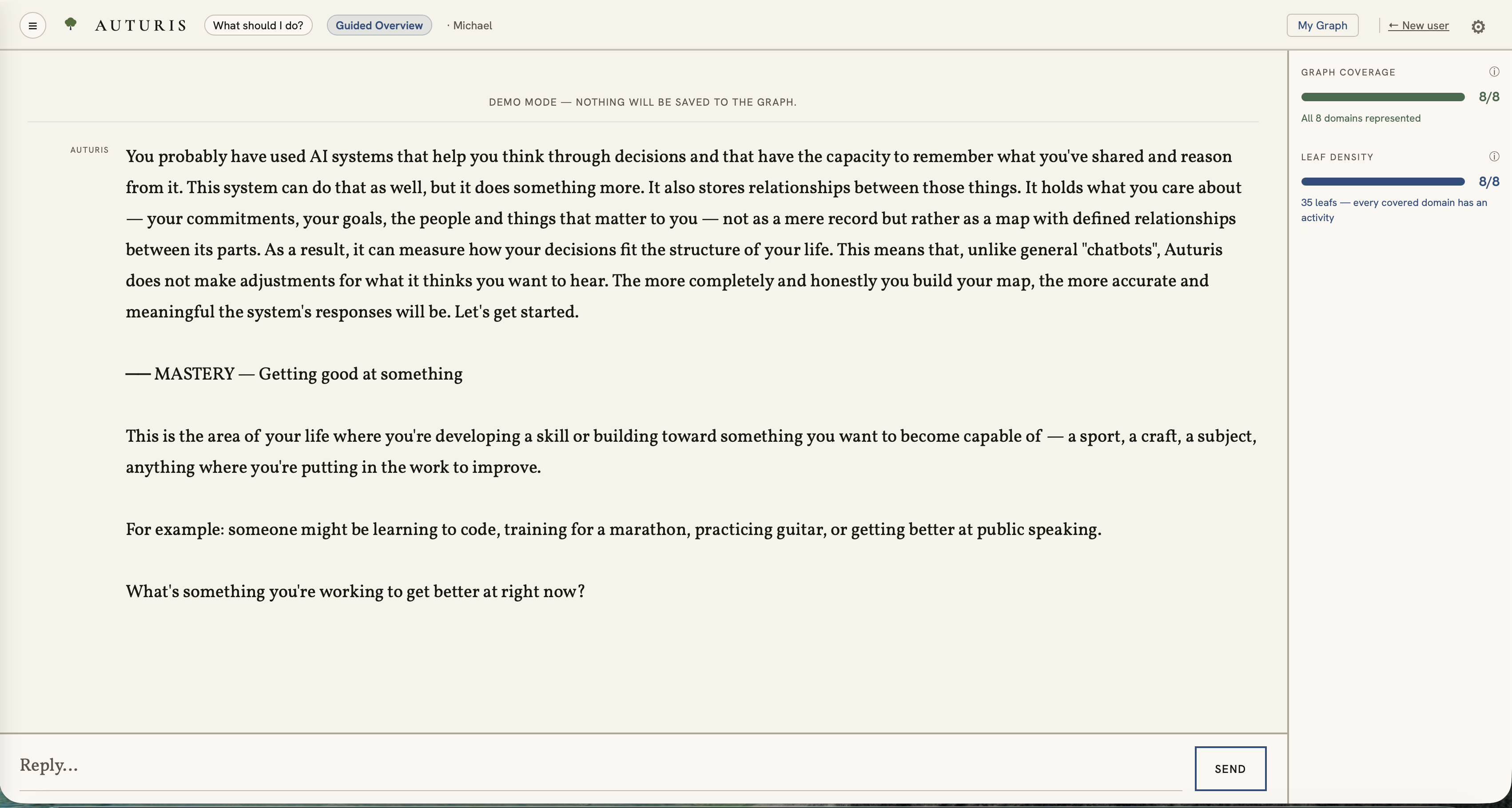
The structured nature of the knowledge graph provides Auturis with its distinctive advantage. Standard chatbots will, if you grant permission, make use of your personal information. But this information exists, figuratively speaking, in a pile, which the AI must sift through in an attempt to determine the relevance of some piece of that pile to the current conversation. The graph in the Auturis system, by contrast, exists as a structured network of meaning. This map, which the AI accesses, but which remains on your computer, helps the AI identify the relevance of your personal goals to the situation at hand.
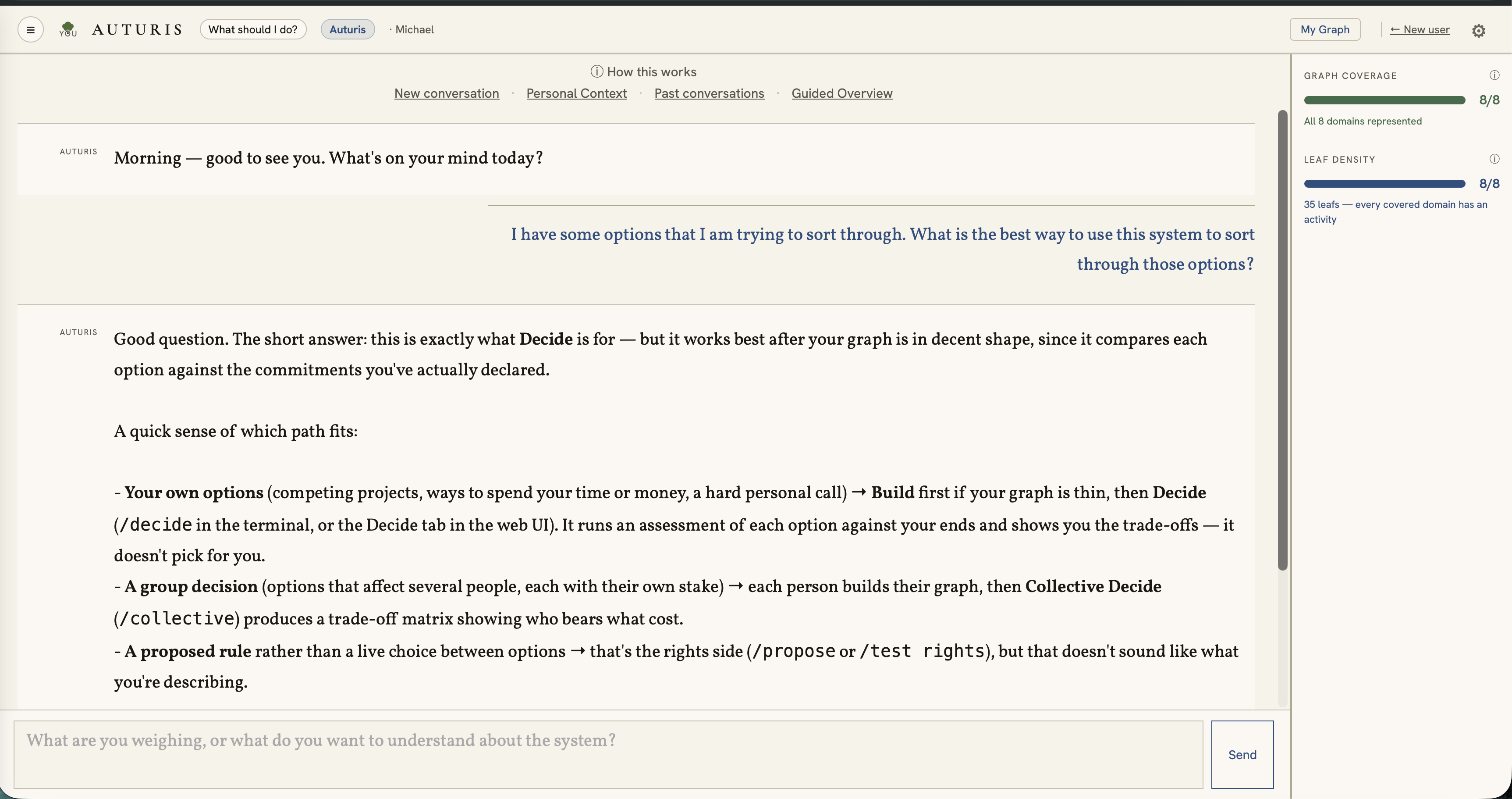
The knowledge graph also provides the Auturis system with the capacity to determine the degree to which a proposed new action will fit within your, or within your organization's, existing system of ends (or values). This metric is then used, together with the information in your graph, to evaluate your proposed courses of action. In the case of small groups or organizations, the same graph structure is used to measure the degree to which a policy hinders individuals or stakeholders in the achievement of their stated aims. The data provided by this analysis can be used to assess the fairness (or rightfulness) of any proposed or existing policy. These matters are explained in greater detail on the page for each question: What should I do? and What is right?
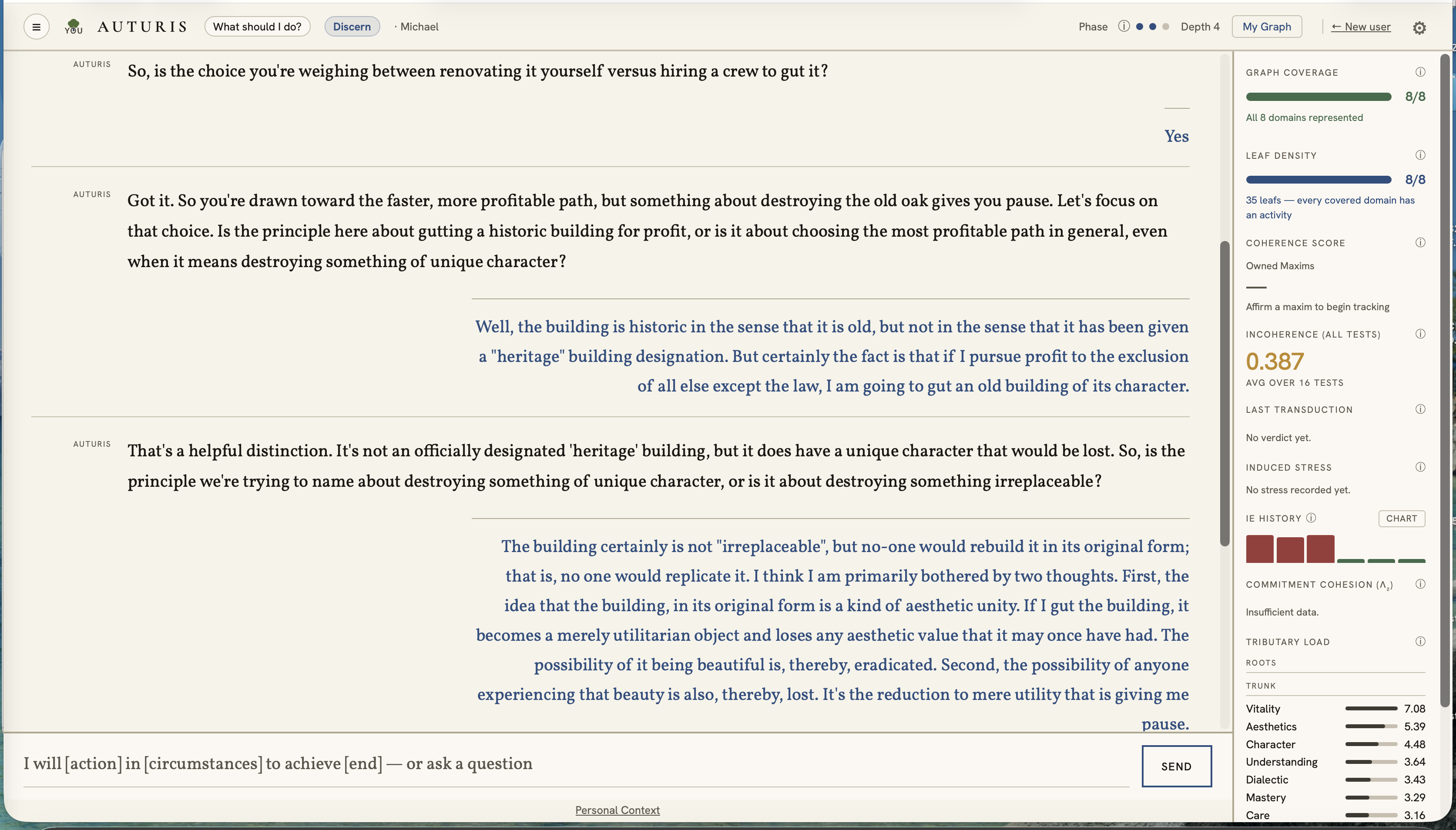
You may find what Auturis has to say to be truly informative, or it may just tell you something that you already knew, in which case, you will have further support for your decision.
Auturis' Graph
Auturis works by leveraging a knowledge graph that you build yourself.
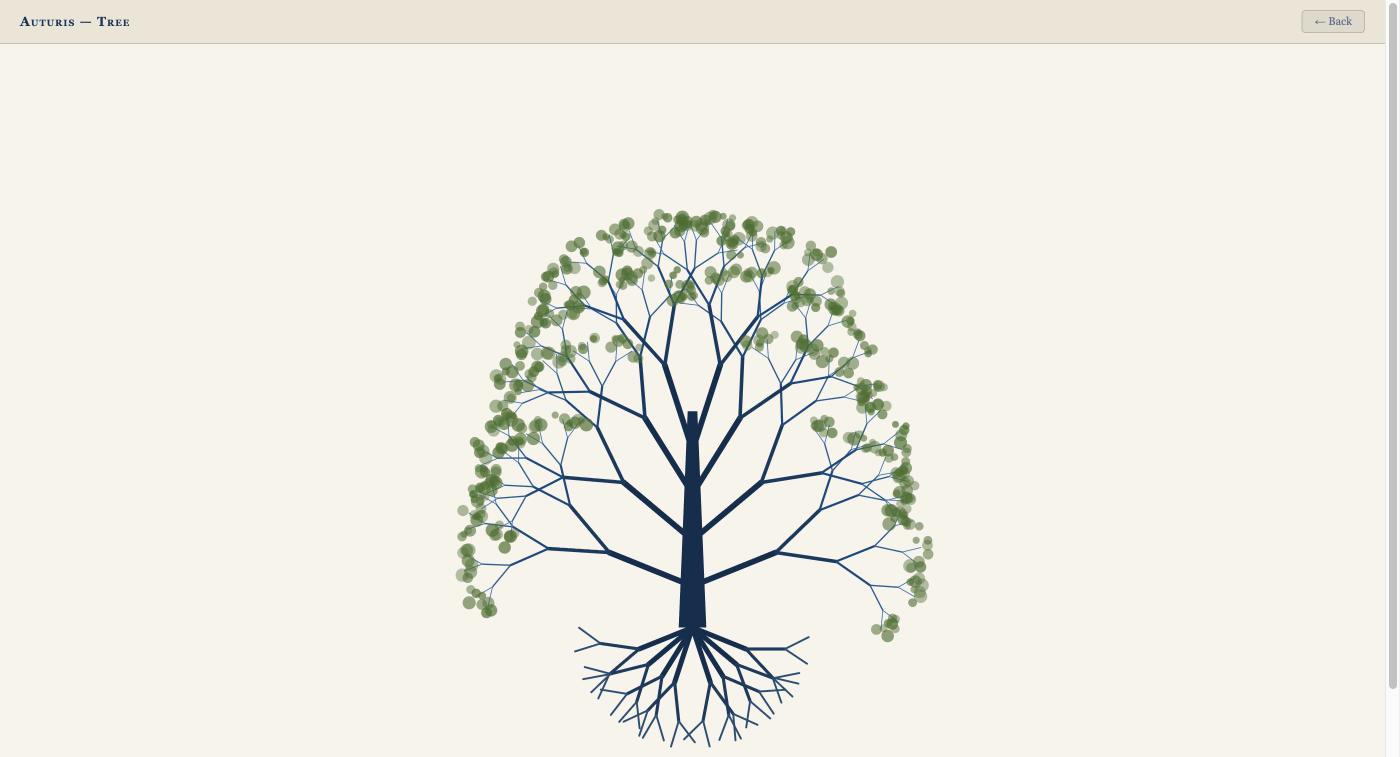
The graph takes the shape of a tree. The roots and boughs of this tree correspond to essential human ends and domains of practice, which appear in the list below. You supply the branches and the leaves. The branches represent your intermediate level goals, such as financial independence, and the leaves represent the concrete actions that are required to pursue them, such as opening a bank account.
The eight roots — terminal human ends — and the bough, or domain of practice, through which each is pursued:
These are fixed — the system doesn't rename, add to, or remove them. Whatever you build, and whatever you later test, is checked against this same structure, not against a mood or a house style.
Start by talking to Auturis
The first tab you land on, once your key is set up, is a conversation. Auturis greets you and asks what's on your mind. You can ask how the system works or talk through whatever you are currently facing. If you have already built your graph, then Auturis will utilize that information in its discussions with you.
It can also act directly from the conversation. It can run a test on a maxim or a proposed rule, or add to your graph. It keeps its own conversation history and can use search when that's actually useful to what you're asking.
Auturis in the classroom
Auturis also works as a classroom tool, not just an organizational one. Two ready-to-run lesson plans apply the same hindrance-check and personal-coherence machinery to a real ELA / U.S. History unit — one testing a proposed courtroom rule against a play's own stakeholders, the other adding each character's own moral dilemma on top of it — backed by a reliability check run before either was written. Neither has been taught to a real class yet, and both pages say so plainly.
Get access
Auturis is in beta. Read the beta-tester agreement, agree to it, and your download is on the next page.
Available for Windows, Mac (Apple Silicon), and Mac (Intel).
Getting started
Your OS will warn you the first time you try to open this app — that's expected, not a sign anything's wrong. Auturis is a beta from an independent developer. It isn't distributed through the App Store or Microsoft Store, and it isn't signed with Apple's or Microsoft's paid developer certificates. Those cost money every year, and I'd rather spend it once there's evidence people want the app. Until then, your computer can't tell who made it, so it errs on the side of caution. Find the section below for what you downloaded; the steps take under a minute.
Windows
- Right-click the downloaded zip and choose Extract All — don't just double-click to open it, since Windows lets you browse inside a zip without actually extracting it, and the app won't run correctly from there. If you double-click
Auturis.exewithout extracting first, Windows will warn "this application may depend on other compressed files in this folder" — that's the sign to go back and extract properly. Once it's extracted to a real folder, runAuturis.exefrom inside it, keeping it together with the_internalfolder next to it. - Windows will likely show a blue "Windows protected your PC" SmartScreen warning. Click More info, then Run anyway.
Mac (Apple Silicon)
- Unzip and drag
Auturis.appout of the unzipped folder. - Your Mac will refuse to open it and will very likely only give you the option to put it in the Trash. In order to open it, follow these steps:
- Open Terminal (a built-in Mac app, not something you need to install): press Command (⌘) and Space together, a search box will pop up, type Terminal, then press Return. A window with plain text will open — that's normal, it's just how Terminal looks.
- Select and copy the line below (click into it, then Command+C):
xattr -cr ~/Downloads/Auturis.app
click into the Terminal window, paste it in (Command+V), and press Return. (If you moved the app somewhere other than the Downloads folder, replace~/Downloads/with the folder you moved it to.)
What this does: when you download a file, your Mac attaches a "quarantine" tag to it. This command removes that tag fromAuturis.apponly — nothing else on your Mac, and it doesn't change any security settings. - Close Terminal, then double-click the app again — it should open normally.
Mac (Intel)
- Unzip and drag
Auturis.appout of the unzipped folder. - You'll likely hit the same Trash-only message as the Apple Silicon build, for the same reason — no paid Apple certificate yet. Fix it the same way:
- Open Terminal (a built-in Mac app, not something you need to install): press Command (⌘) and Space together, a search box will pop up, type Terminal, then press Return. A window with plain text will open — that's normal, it's just how Terminal looks.
- Select and copy the line below (click into it, then Command+C):
xattr -cr ~/Downloads/Auturis.app
click into the Terminal window, paste it in (Command+V), and press Return. (If you moved the app somewhere other than the Downloads folder, replace~/Downloads/with the folder you moved it to.)
What this does: when you download a file, your Mac attaches a "quarantine" tag to it. This command removes that tag fromAuturis.apponly — nothing else on your Mac, and it doesn't change any security settings. - Close Terminal, then double-click the app again — it should open normally.
Once it's open: you'll be asked for your own API key on first launch (BYOK — bring your own key; see further down the page for how to get one, it takes a couple of minutes). Then give it a real question or decision you're actually facing — that's where it gets interesting.
Obtaining your own key
Auturis talks directly to an AI provider using a personal "API key" — like a password just for this. It takes a couple of minutes to get one, no coding involved, and you only pay for what you actually use (usually pennies per conversation). Paste it in where Auturis asks. Never done this before? Step-by-step instructions are here.
Please note that our tests suggest that only undistilled frontier models are able to perform reliably within the Auturis system. Of the models that we have tested, the following are recommended: Gemini 2.5 Pro (used for development) and Claude Opus. Claude Sonnet, while slightly less reliable, may prove sufficient for your purposes. Smaller, cheaper, and free-tier models generally fail our tests. Since there is no general way to know whether a given model is distilled, we recommend that you run whichever model you choose against our "model compatibility check," which is contained within the Auturis program.
Recommended
Gave Auturis the most reliable reasoning in our own testing.
Google's model. Sign up, click Get API key, create one, copy it. Auturis uses 2.5 Pro. Google hasn't announced a shutdown date, but it now limits 2.5 Pro to accounts that have used it before, so a brand-new Gemini key may not work with Auturis. If you're starting fresh, Claude is the safer choice.
Highest quality, higher cost. Sign up, click API Keys, create one, add a payment method — then pick Opus as the model in Auturis.
Same account and key as Opus — just pick Sonnet as the model instead. Cheaper, still solid.
Still workable
Works fine, though it scored lower than the ones above in our own testing.
Sign up, open your account menu → API keys, create one, add a payment method.
Was our top recommendation, moved down until further notice: DeepSeek quietly swapped in a new model (V4-Pro) behind the same name in mid-August with no warning, and it's been inconsistent in our testing since; its prices also rose sharply in August. Still usable, just not the safe default it was.
Your key stays on your own computer. Auturis sends it only to the provider you got it from, never anywhere else.
A Clarification
With some familiarity with this system, it may be objected that once your maxim or your policy rule is identified, you already know whether the proposed action is good or the rule is rightful; that this system, therefore, is not telling you anything that you cannot already determine for yourself without it. But this objection misses the mark. The point of the system is not to be an oracle. It is rather to bring things into the light, which might otherwise never see it, and to bring confidence to those who may need it.
For the philosophical background behind Auturis, see the author's PhilPeople profile.